Facebook Account Pitfalls: The Vanishing WhatsApp API
The Facebook regional restriction I hit while applying for the WhatsApp API, and how a US account went wrong.
On this page
These past few days I suddenly became very interested in WhatsApp (abbreviated WS). If you want to send messages in bulk or hook ChatGPT up to WhatsApp, you can't avoid calling the WhatsApp API. I assumed that a Facebook account would be all it took to apply for the API and start calling it. I didn't expect it to be such a deep rabbit hole.
#Using the WhatsApp API is not easy!
The reason is that to use the WS API, you need a Facebook developer account registered in the US. Otherwise, the products in your developer console look like this:
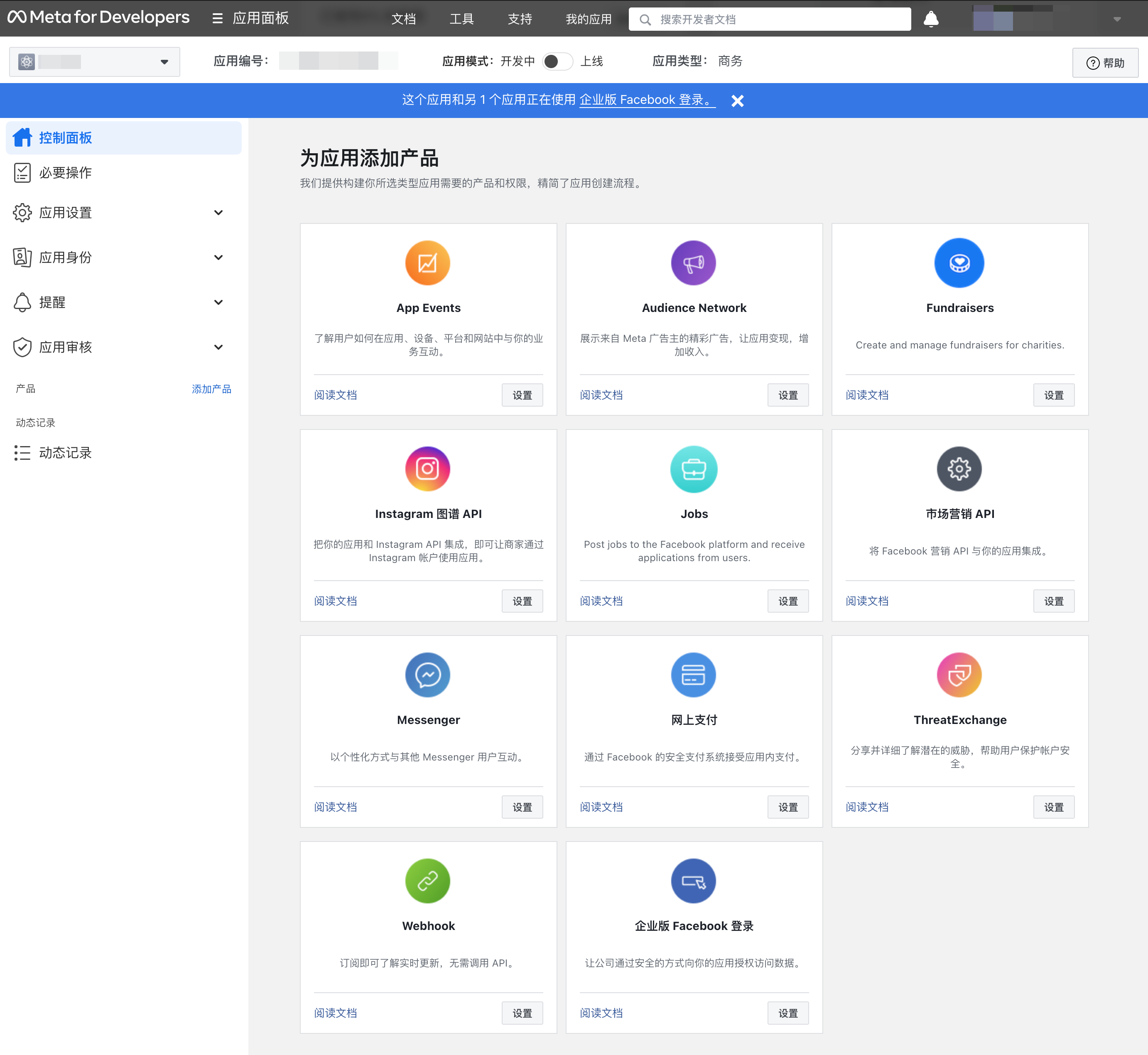
Right, the WS API is gone!
At first I thought I had done something wrong. I looked through Meta's own developer forum, and some developers had reported that it was a regional issue with Facebook accounts. See the original post.
And when I registered a clean Facebook US account, a magical thing happened:
Yes, Facebook really does have this kind of restriction. As long as your account carries the 🇨🇳 tag, you can't use many services.
So the question now becomes: how do you get a Facebook US account?
#Registering a Facebook account
Registering a Facebook account isn't hard at all. Just get a clean IP and an overseas email, and that's that. Right, that's exactly what I thought and what I did too. A week after registering the account, it got banned, and I had to appeal to unlock it. Appeals are even harder: you have to submit a US phone number plus a photo of yourself.
If you don't want to end up in the same trouble, I suggest you simply search on Google and buy a clean account, then log in to it on your phone.
Caution To be safe, if you've ever had Facebook installed on your phone, delete it first. It's not too late to download it again and then log in.
Do not log into a new account directly in a browser!
Do not log into a new account directly in a browser!
Do not log into a new account directly in a browser!
#Registering an INS account
Once you have a FB account, you can register an INS (Instagram) account directly, because the two are linked. The account-warming methods are the same for both.
#Account warming methods
- Each account is fixed to one IP, one phone, and one mobile browser.
- After registering, fill in as much of the non-sensitive information as you can. You can enter real information, or any real city from any country (to find it: open the fb page → click your own name at the top right → "Edit profile" under your avatar). The non-sensitive fields you can change include: bio, cover photo, work information, education, current city, hometown and relationship status.
- Add friends and join groups five days after registration. Tap around the video and other features of the app, and occasionally change your bio. The principle is to follow the app usage flow of a real user.
- In the next ten-odd minutes, you can tap "Live videos" on the home page, pick a few to watch, like them, and leave two short, normal English comments.
- Search for a few keywords to find groups. It's best to avoid money- and advertising-related topics. Try joining 1 to 3 groups, no more. Don't post in groups, but you can comment and like 1 to 3 times.
- Changing your cover photo automatically publishes a post. Like your own post. After the group approves you, like posts from 5 to 10 random group members, with 5 to 30 seconds between each like.
#Summary
Ranked by difficulty, there are the following types of users, and the materials each one needs.
| Type | Description | Materials needed |
|---|---|---|
| Casual user | Only browsing, curious what the overseas ecosystem looks like | Clean IP, phone |
| Want to be a creator | Running content and wanting platform traffic exposure | Clean IP, phone, an overseas phone number that can receive SMS verification codes |
| Merchant onboarding | Want to open an ad account and run ads for a product | Clean IP, phone, an overseas phone number that can receive SMS verification codes, company documents |
As for how to get a clean IP, that involves buying an overseas cloud host and installing services. I'll share a separate post on that later.
As for overseas phone numbers, I just bought a UK SIM card that works in mainland China. Once I've finished activating it and used it stably for a while, I'll write another post.
If you successfully open a FB ad account, congratulations: that means you can call the WhatsApp API, and unlock bulk messaging to customer groups, building chatbots, linking your account to an independent website (connecting private traffic), and many other custom features.