Long Talk: How Dify Plugins Help Build AI Agent Apps
The Dify 1.0 plugin system: remote debugging, Endpoints, reverse invocation, and real-world use cases for SSH, gateways, databases, RAG, agent strategies and MCP.
On this page
Hi everyone, I'm Allen, a technical documentation engineer at Dify. I mainly work on Dify's help documentation and the enterprise edition documentation.
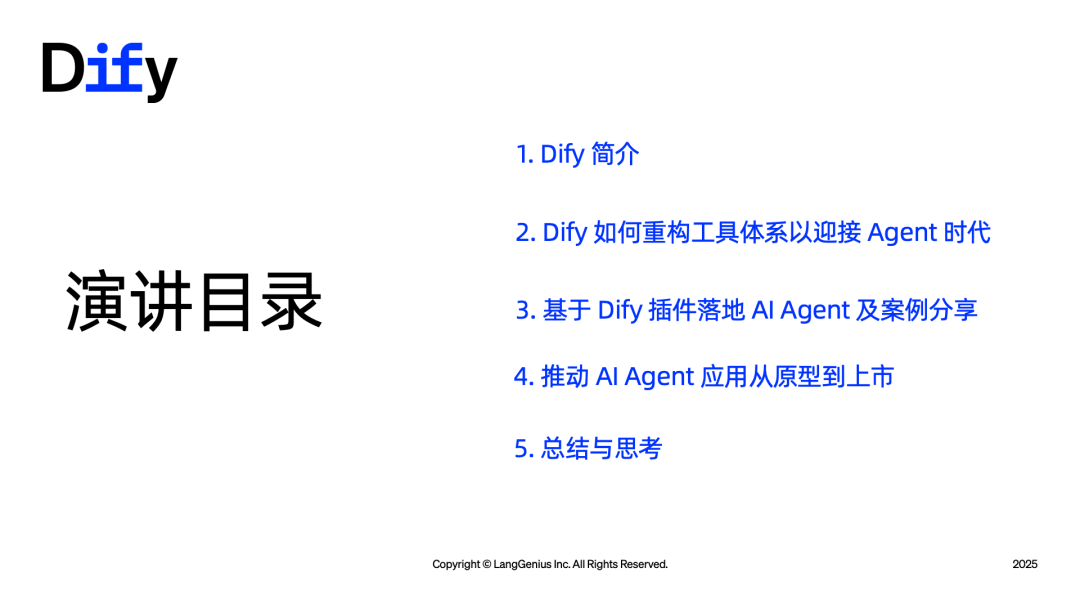
The topic of this talk is Dify plugin ecosystem in practice: a new paradigm for building Agent apps. It has five parts: what Dify is, how we adapt to the constantly changing way agents are built, what plugins can offer complex agents, a few real-world cases, and how apps go into production.
#Introduction to Dify
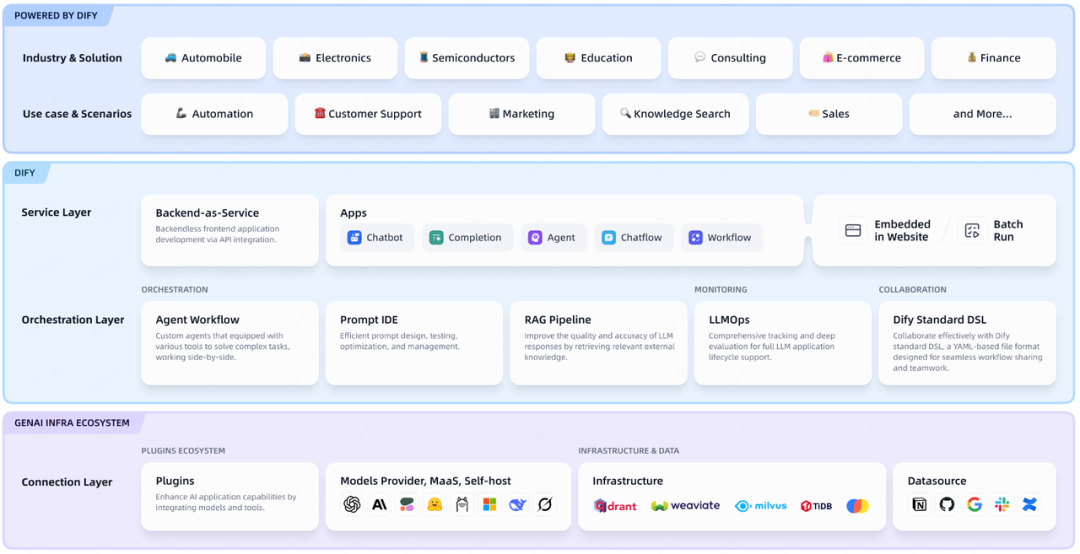
If we think of AI intelligence as a new production resource, like a water or power grid, then when ChatGPT first took off, developers kept reinventing the wheel: how to connect to APIs, how to handle knowledge bases. Dify was born in this context. It packages workflow orchestration, RAG, agent building, multi-model management and observability into one open-source solution.
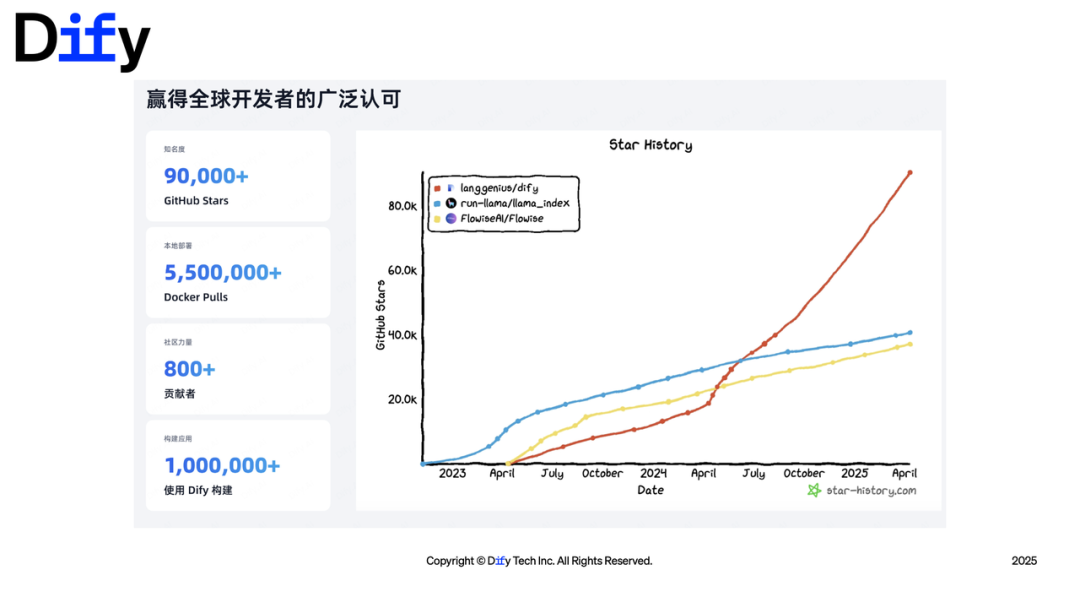
Over two years, it has passed 100,000 stars on GitHub and entered the top fifty of open-source projects worldwide.
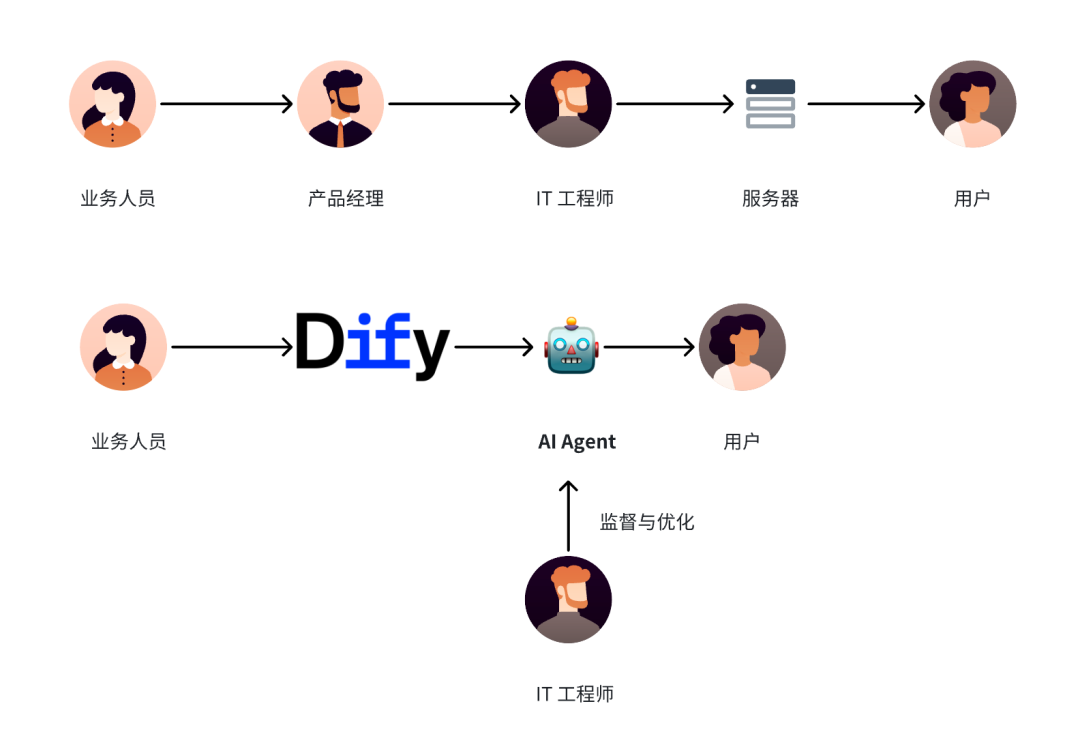
 Many heavy users are not strictly developers. They are finance, operations and sales people. Business people should not be left out of this change. A good agent app comes from insight into everyday pain points, and what Dify wants to do is keep lowering the technical barrier.
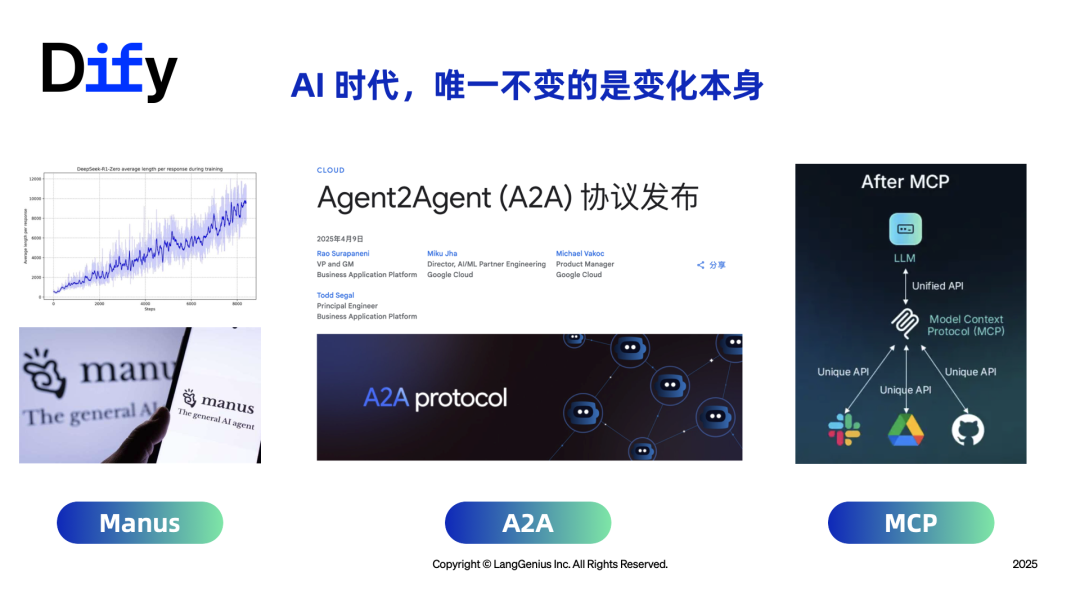
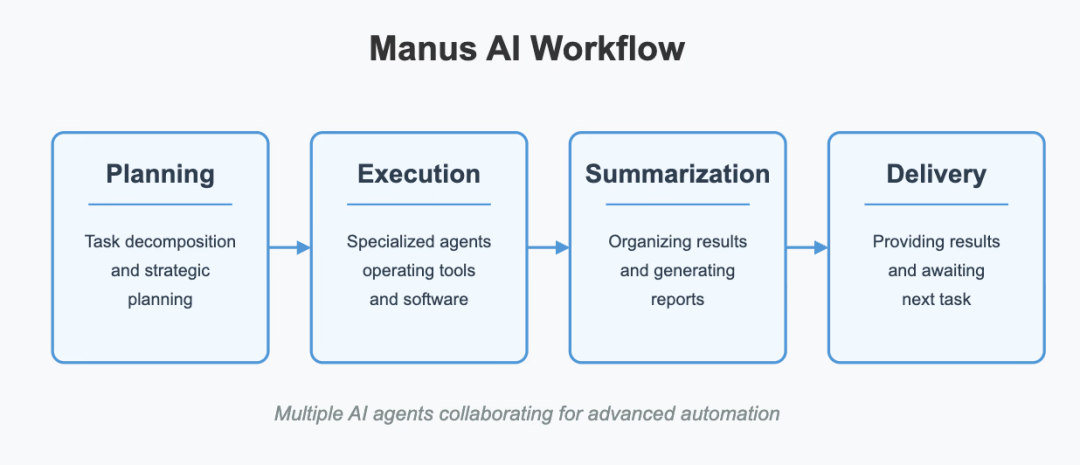
The pace of technology is fast. DeepSeek, Deep Research, Manus, MCP and A2A have appeared one after another. We are no longer in an era where just wrapping an LLM API is enough to tell a story. Agents need multimodal input, internet access, OCR and knowledge base accuracy. For developers, the technology changes, the scenarios change, and time and resources are always tight. The plugin system exists so that development works like LEGO, where you can snap pieces together.
Four examples:
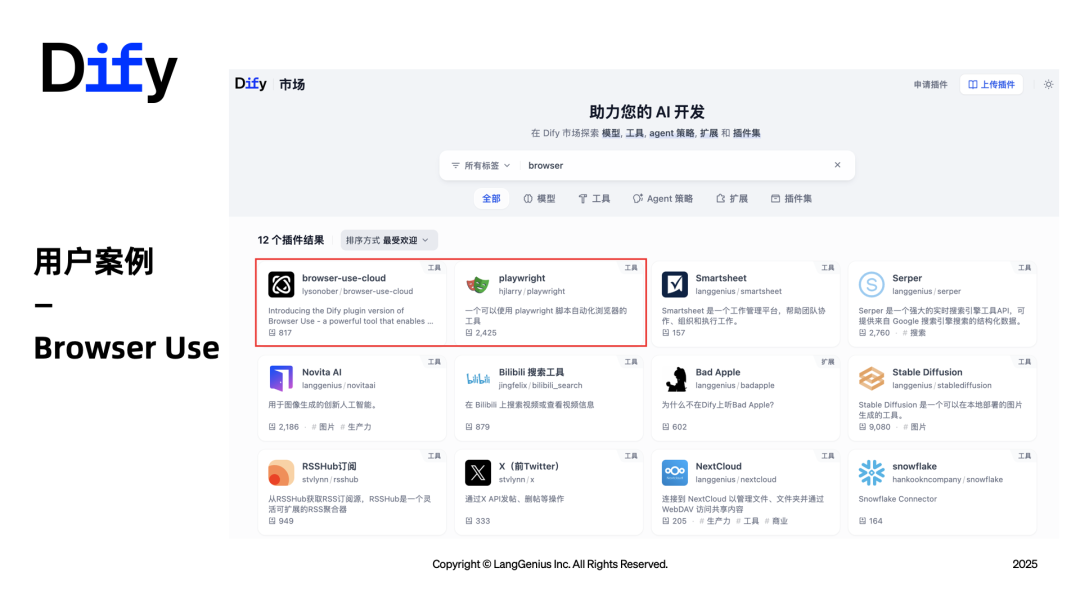
Browser Use. Contributed by a user in Japan. It locates key information on a web page, for example finding the contact form fields and bringing back the URL. Just search for "Browser" in the Marketplace.
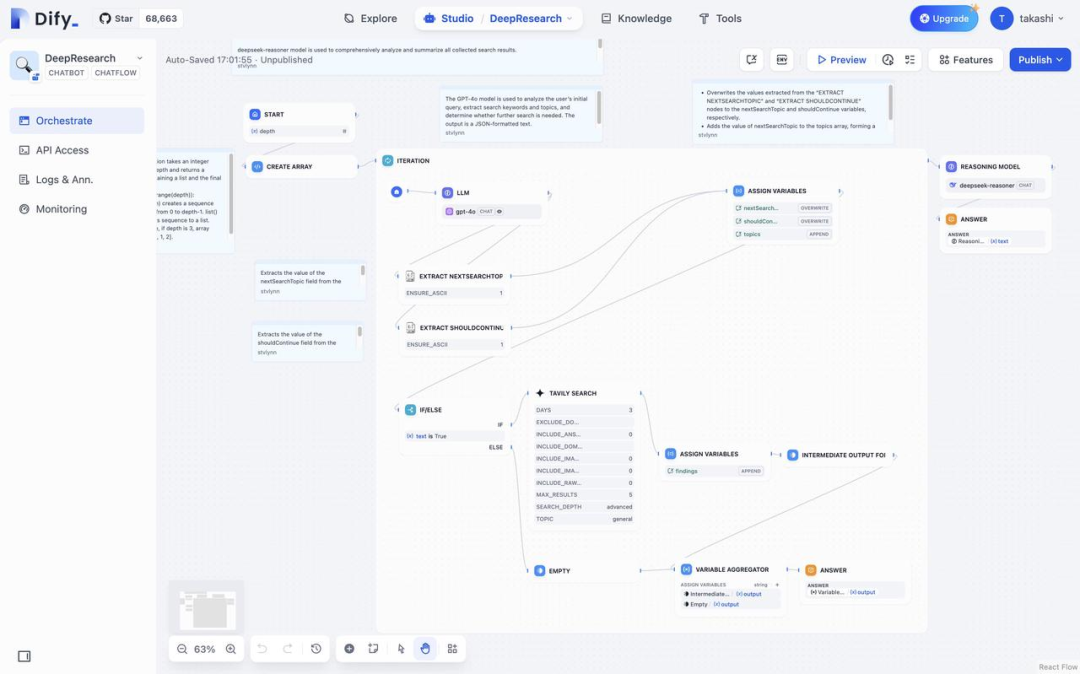
Recreating Deep Research. Knowing the main flow chart, you assemble the nodes to build a WYSIWYG LLM app.
SSH plugin. Type an instruction, and it logs into a server automatically and deploys a web page. I'll break down the development process later.
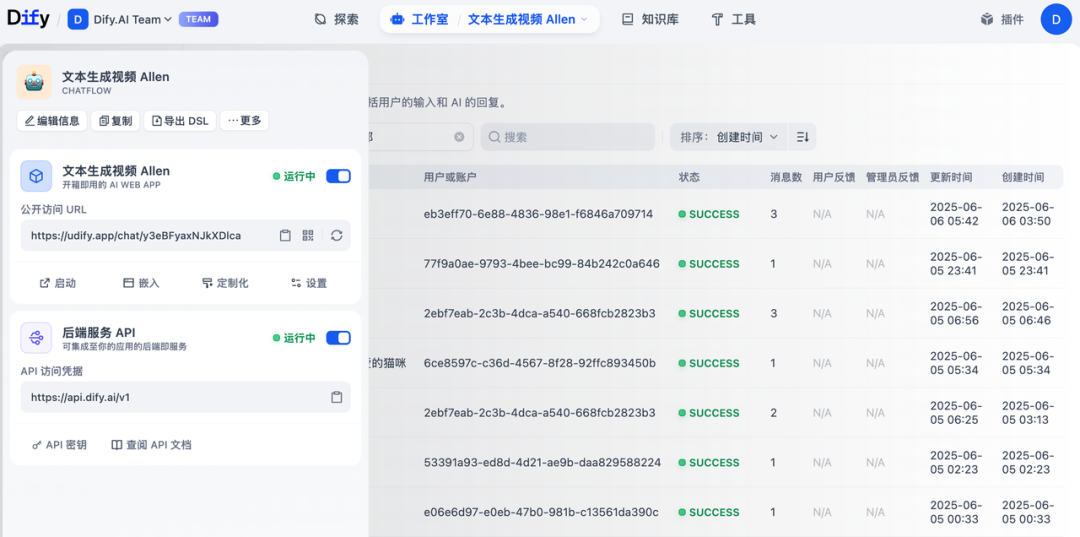
Video generation. Turning an API into a plugin. I built this one myself.
We hope Dify is not only the infrastructure for LLM apps, but also the operating system for calling AI capabilities. In the early days, there was only one entry point for tool calls, and a heavy reliance on APIs. That could no longer keep up with the pace of agents.
#How Dify Rebuilt Its Tool System
#Problems With the Old System
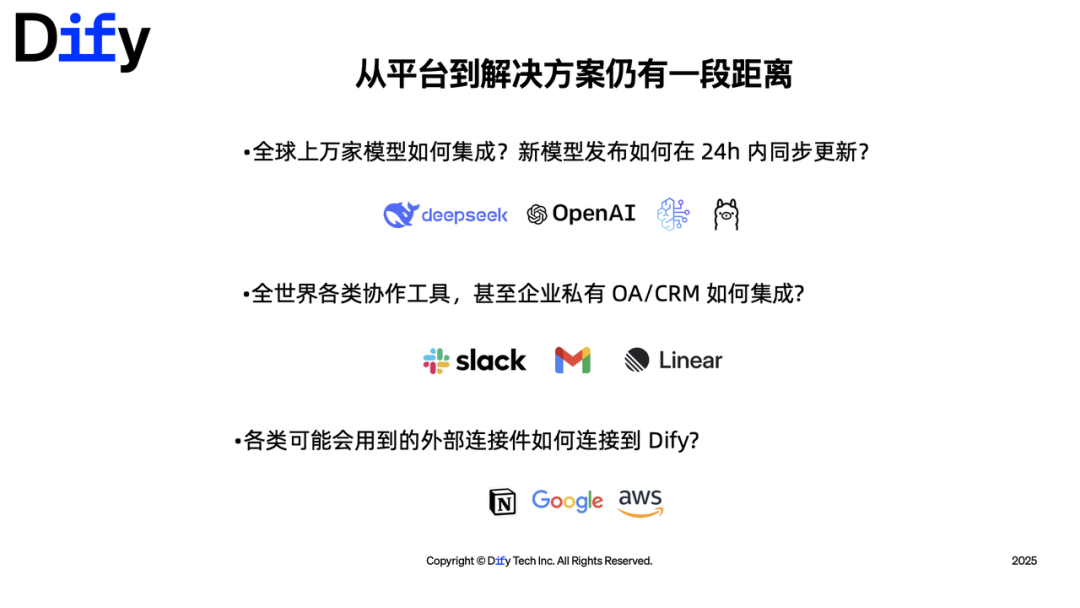
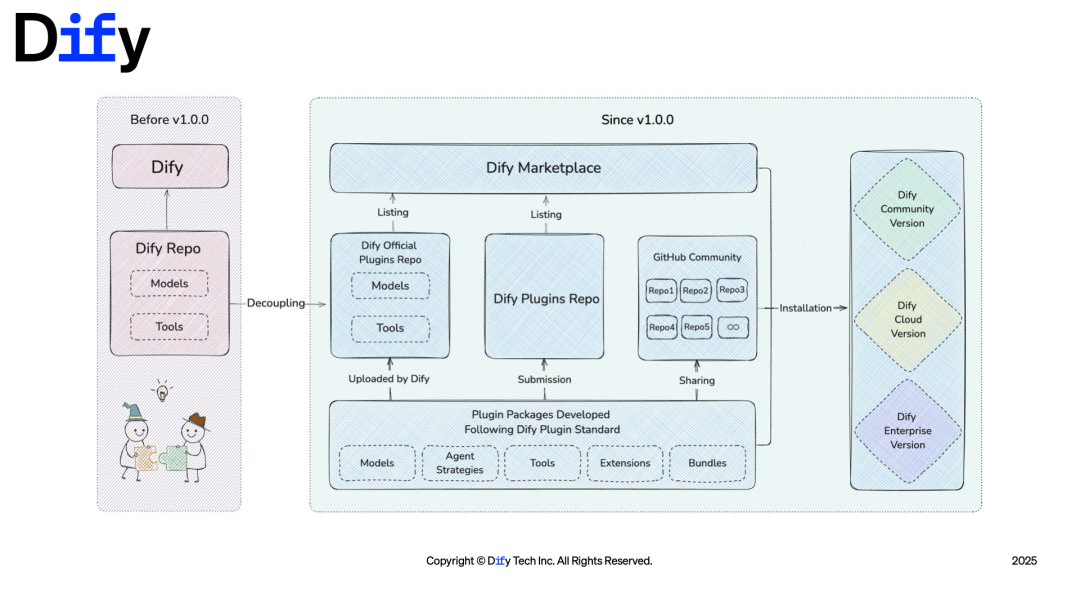
People in the community often ask, "When will you support such-and-such model?" Many times, it's only a parameter change, but it still required repackaging and a new release. In the past, if you wanted to contribute an external capability to Dify, even adding a single API tool meant deploying the entire source code locally.

The problems came down to three things:
- Tight code coupling. Adding models and tools was cumbersome, engineering dependencies were heavy, and versions were hard to manage.
- User needs could not be closed-loop. To connect to an IM tool, you had to wrap an extra webhook outside Dify.
- Fixed customization modules. PDF parsing, RAG and similar components could not be adjusted flexibly.
So the decision was to split tools and models into plugins that can be installed independently, and to make document parsing and OCR pluggable too. For scenarios that Dify could not close the loop on internally, open interfaces would connect to external systems.
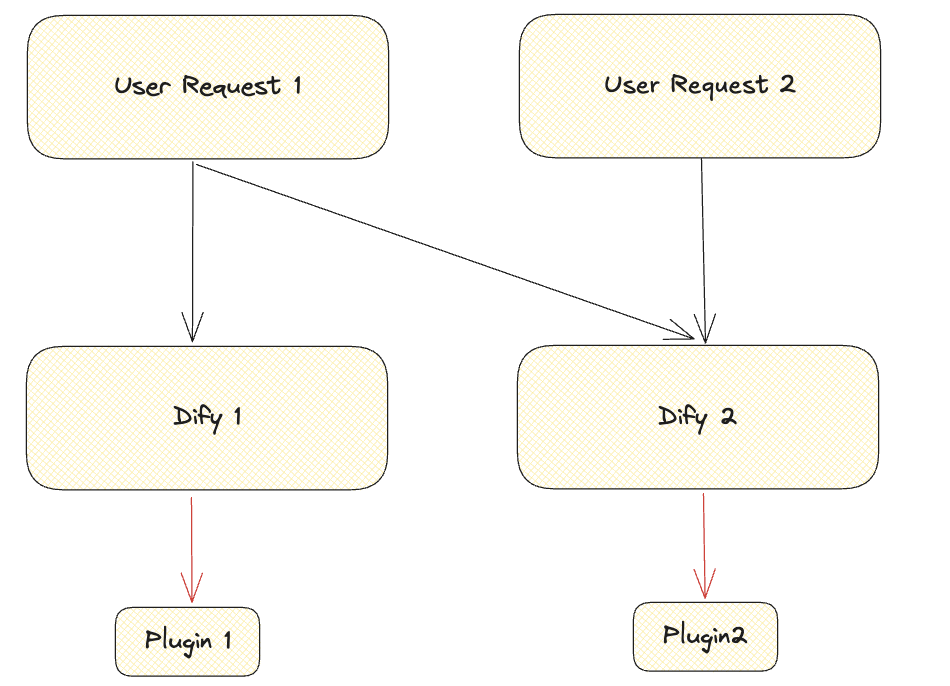
On the engineering side, we quickly ran into several issues: tools could not be shared across multiple workspaces, plugin environments had to stay consistent, the runtime cost of tens of thousands of plugins in the cloud was high, every code change required repackaging, and there was the question of whether plugins should run a long-lived HTTP service to listen for webhooks.
#Three Key Designs
Remote debugging. The debugger and the runtime are separated, and the runtime connects to Dify on its own initiative. A local plugin keeps a persistent connection with Dify, is treated as installed, and is marked as being in debug mode. Requests are forwarded over that long connection. The hard part is that a persistent connection is stateful, while the Dify service is stateless. A Kubernetes load balancer could send requests to the wrong Pod, so we solved this later with traffic forwarding.
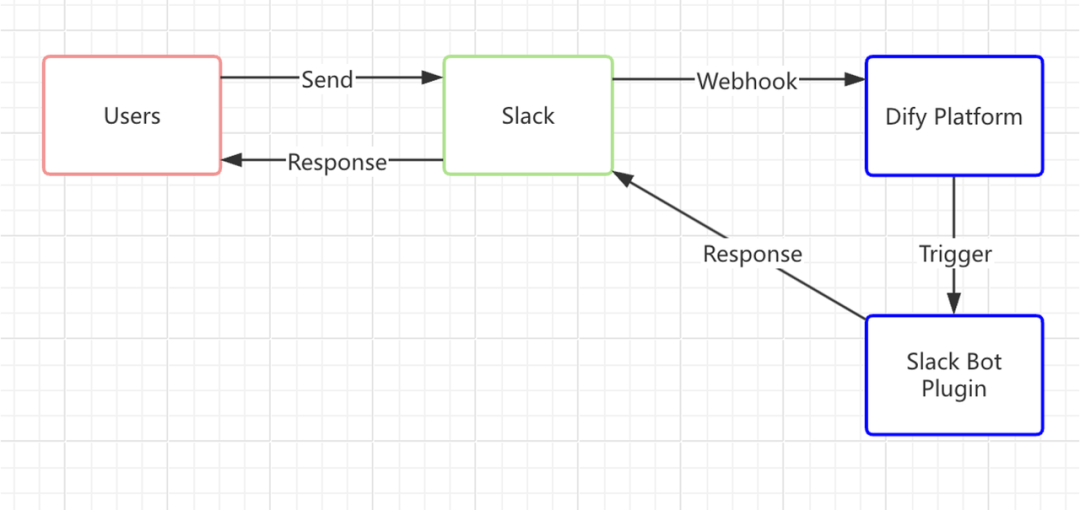
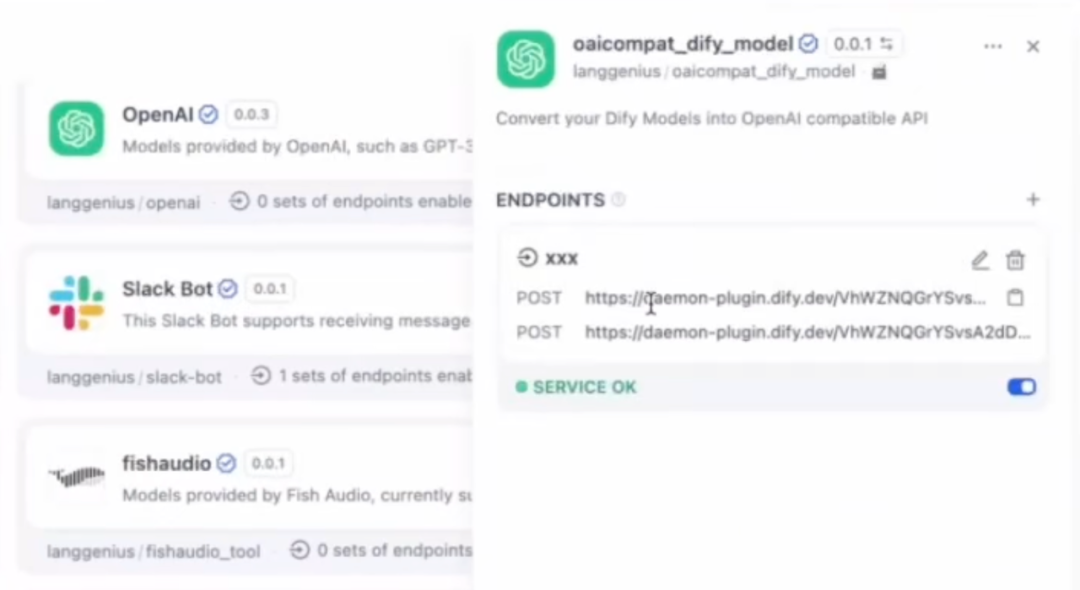
Endpoint. Lets Dify receive webhooks from IM and office software. The platform generates a random URL and handles the HTTP forwarding itself, so a plugin only has to process the requests that get forwarded to it. This avoids having every plugin run a server for a long time.
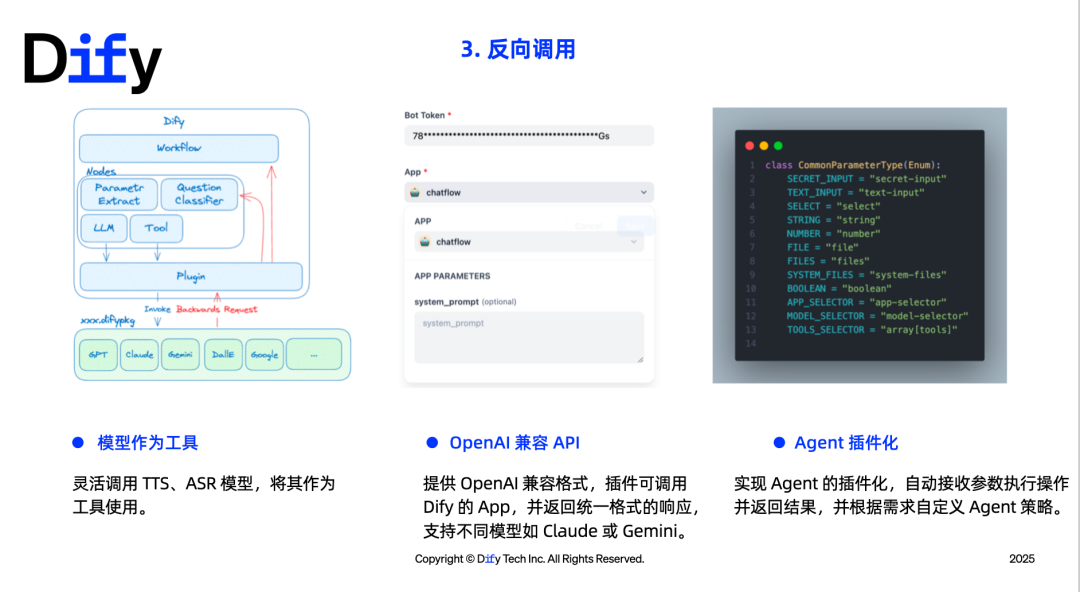
Reverse invocation. A plugin can call models, tools or apps inside Dify that have already been authenticated. Uses include: external knowledge bases (such as LlamaIndex's Agentic RAG), using OCR, ASR and TTS as tools, using an Endpoint to provide an OpenAI-compatible API, and turning agent strategies into plugins.
#Architecture Notes
The SaaS version uses serverless-style elasticity, and we chose AWS Lambda. Debug mode uses a Redis HashMap to manage connection state. The cluster maintains an IP pool and tests reachability through voting. The Master node cleans up Pods that have exited.
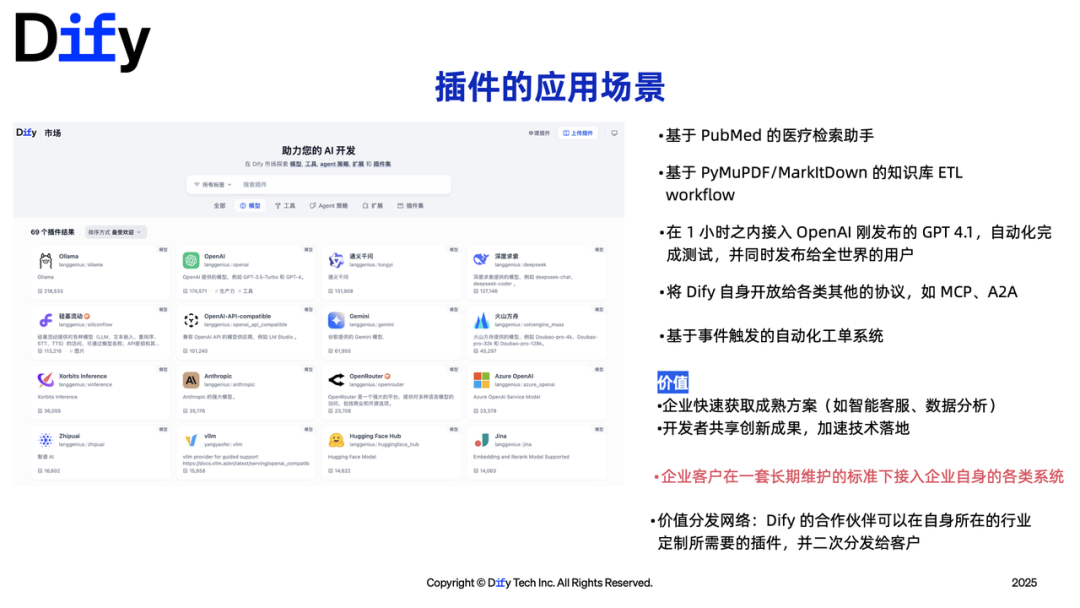
Dify 1.0's answer is to rely on an open-source plugin ecosystem, similar to Chrome, VS Code or WordPress. Users don't have to wait endlessly for official features, and well-built projects can be seen by the community. The plugin marketplace launched and quickly passed 120 services. New protocols like MCP and A2A can also be connected as plugins. At the time, we announced that Dify would support connecting MCP as a tool, and that apps built in Dify could be published as MCP servers.
#How to Build Agent Apps on Plugins
Agents pursue intelligent decision-making plus autonomous execution, which is different from the fixed flows of RPA. Current pain points include: poor stability, misaligned understanding, difficulty managing context, results that cannot be verified, and limited ability to act across systems.
The advantages of Dify plugins:
- Lower development cost. Standard interfaces plus schemas let the model understand how to call them. Deciding when to call is left to the model, so you write less control logic. Develop once, reuse in many places.
- Modular evolution. Start from a single plugin with a simple prompt, then gradually add capabilities. Each plugin can be debugged on its own.
#How to Write the SSH Plugin
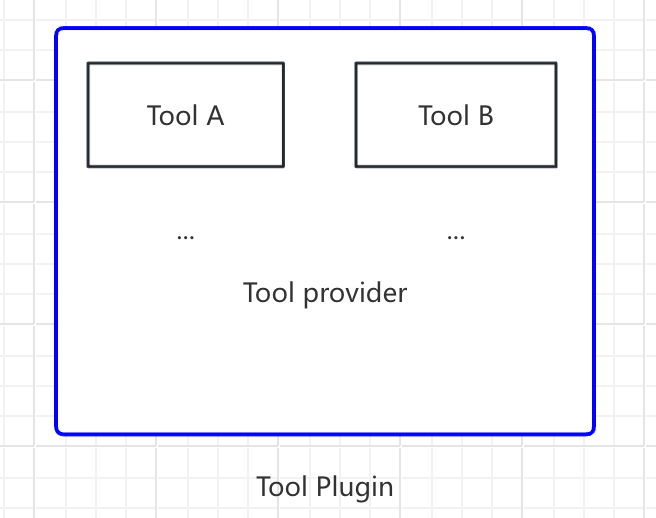
I'd recommend starting with a tool-type plugin. The structure is simple: first define the tool provider, then define the actions that can be executed. Everything a human does when logging into a server needs a corresponding action in the plugin: host, port, password, and running commands.
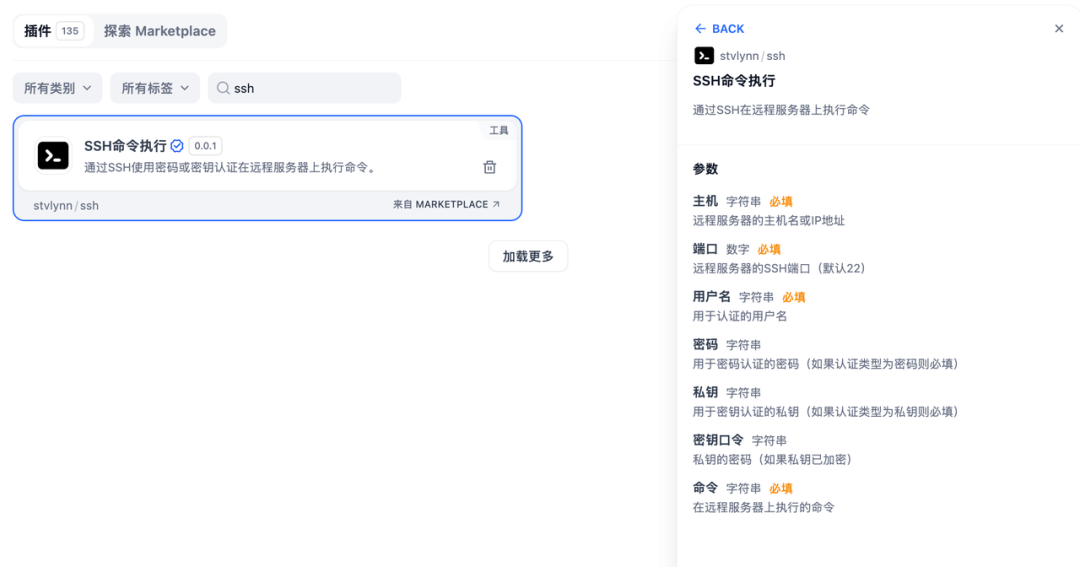
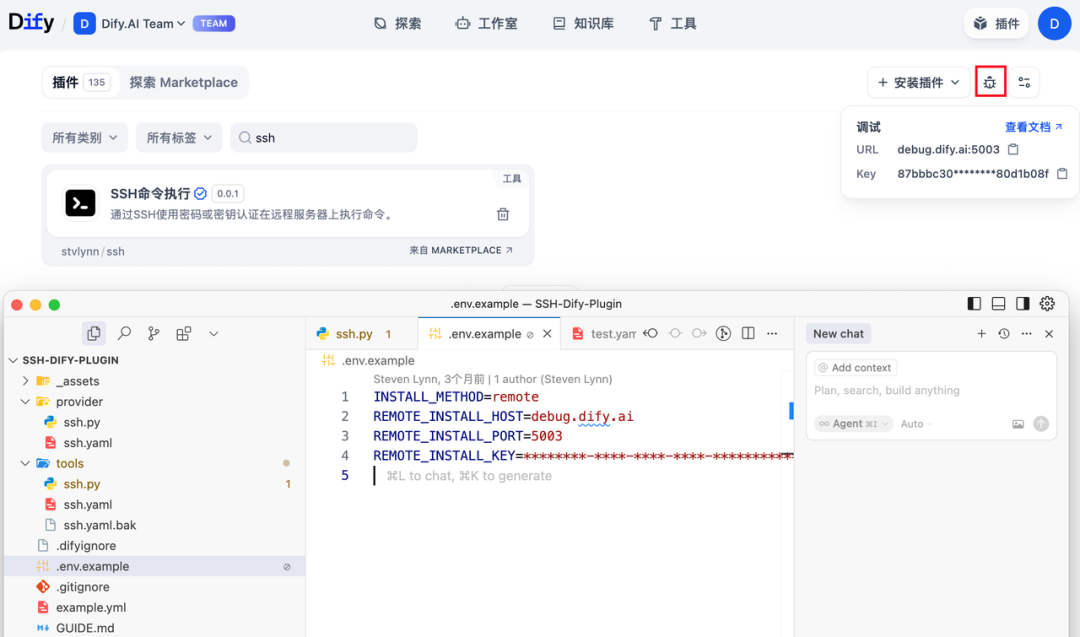
Steps:
- Create a new project and fill in
manifest.yaml, including multiple languages. - Define the provider's name and description.
- Under
tools/, create one Python file per Action, and use functions to process the parameters. - Fill in the remote debugging address in
.env(SaaS or the community edition), so you don't need to deploy the whole Dify locally. - Package it from the command line as a
.difypkgfile. It works like an apk, enabling decentralized distribution.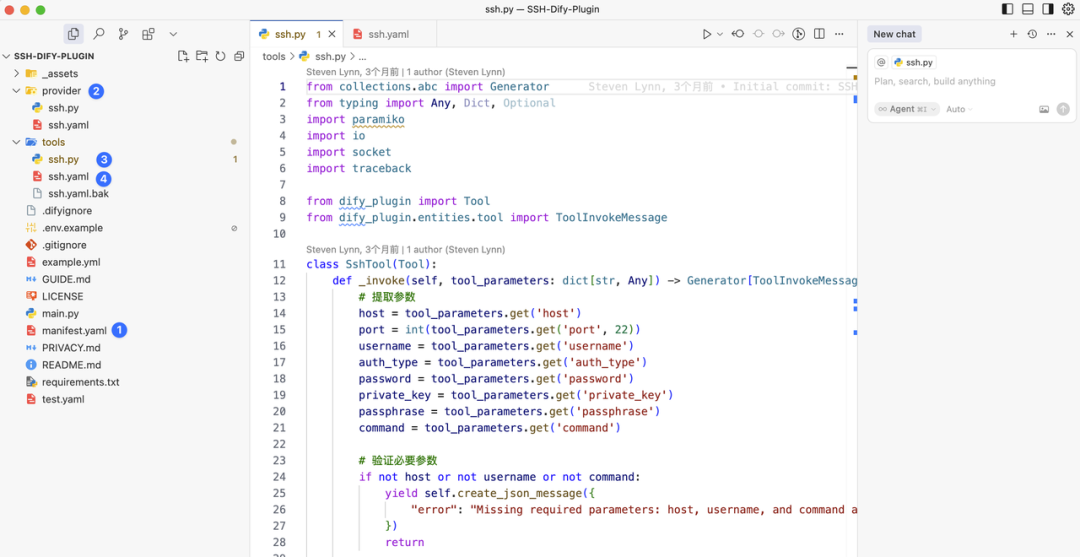
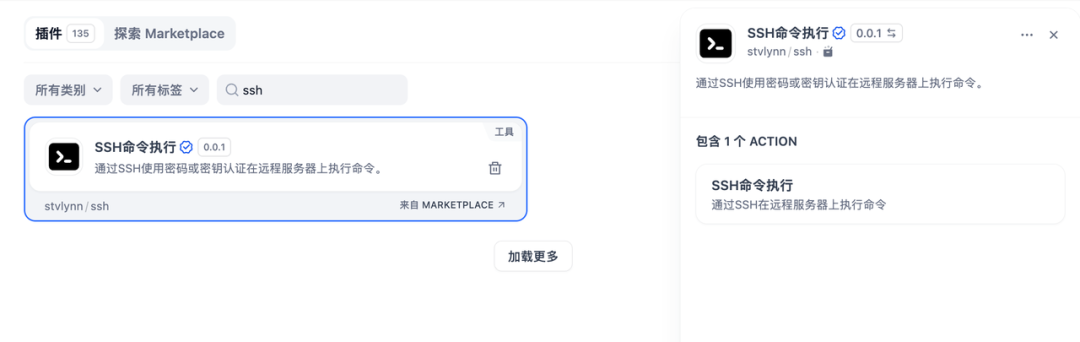
Many infrastructure vendors have excellent API documentation, but what's missing is a clean entry point. Turning an API into a Dify plugin lets it join the ecosystem.
#Plugin Security
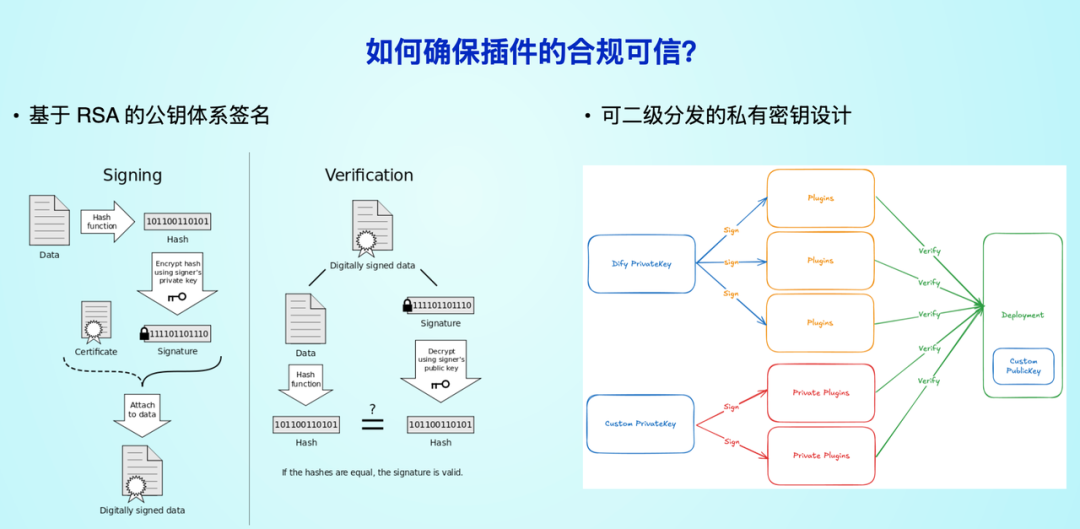
Security relies mainly on signatures, rather than a strict sandbox (a sandbox would cause many dependencies to fail to install). After manual review, a plugin is signed with a private key and marked as verified. Unsigned plugins cannot be installed by default unless the user changes the setting.
#Five Cases
Dify has five plugin types: model, tool, agent strategy, extension and bundle.
#1. Turning Dify Into an LLM API Gateway
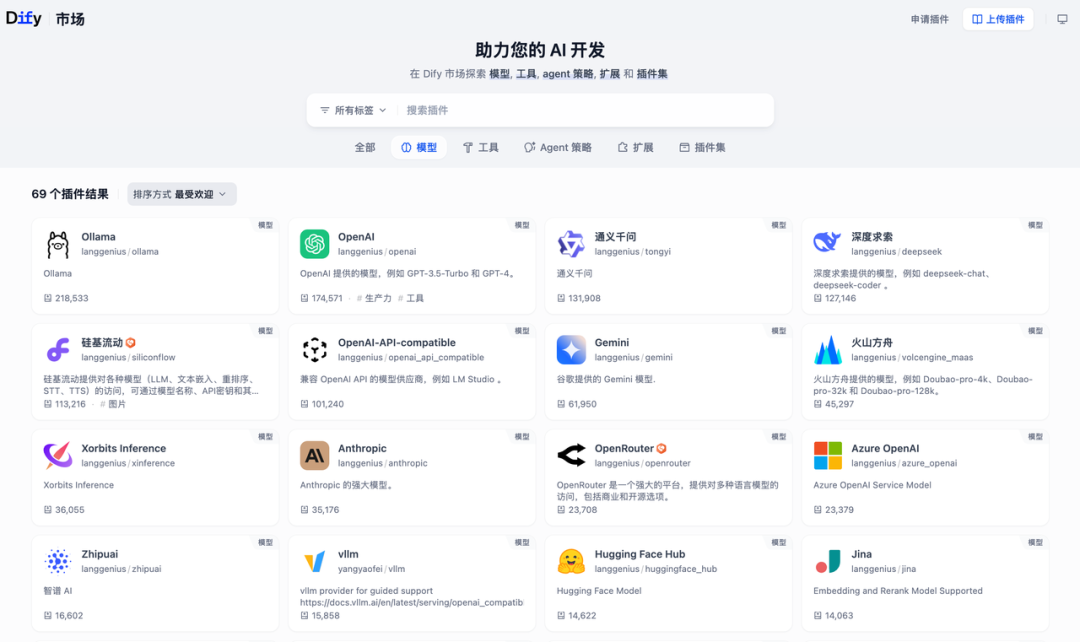
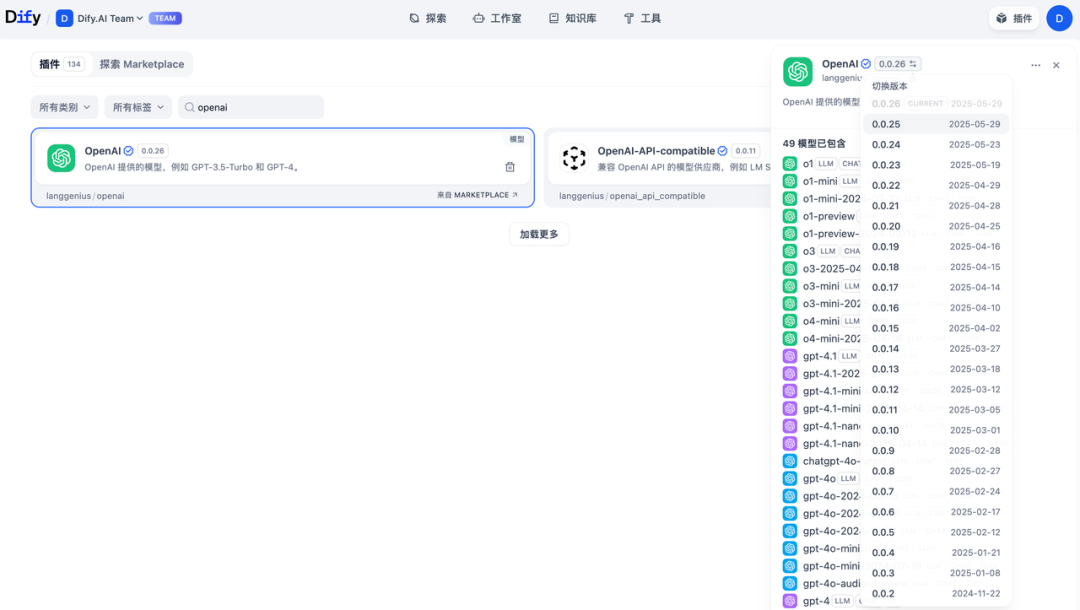
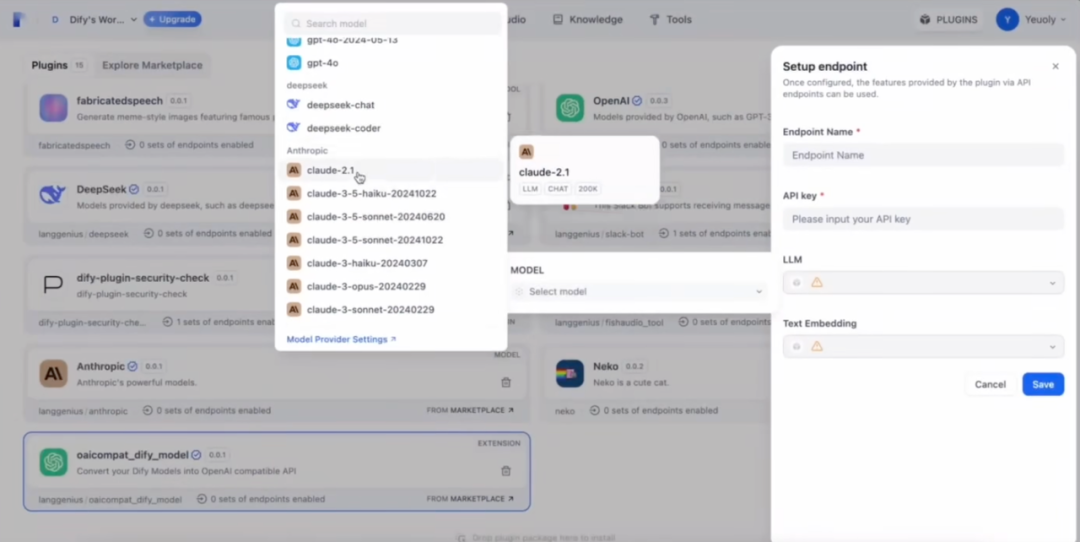
Users already store many model keys in Dify. After plugins, model providers became the most frequently updated plugin type. Reverse invocation lets an Endpoint plugin expose any model hosted in Dify in an OpenAI-compatible format, and in-house models can be wrapped into the same calling method.
#2. Database Plugin
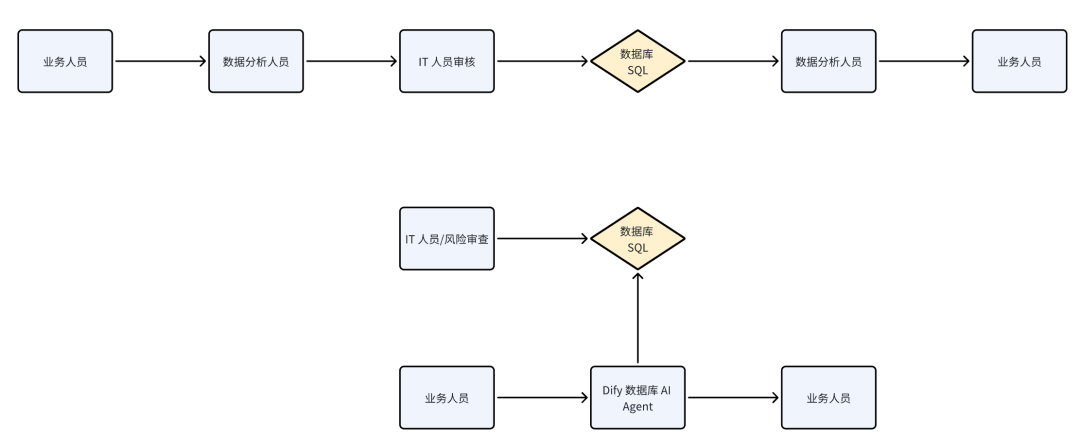
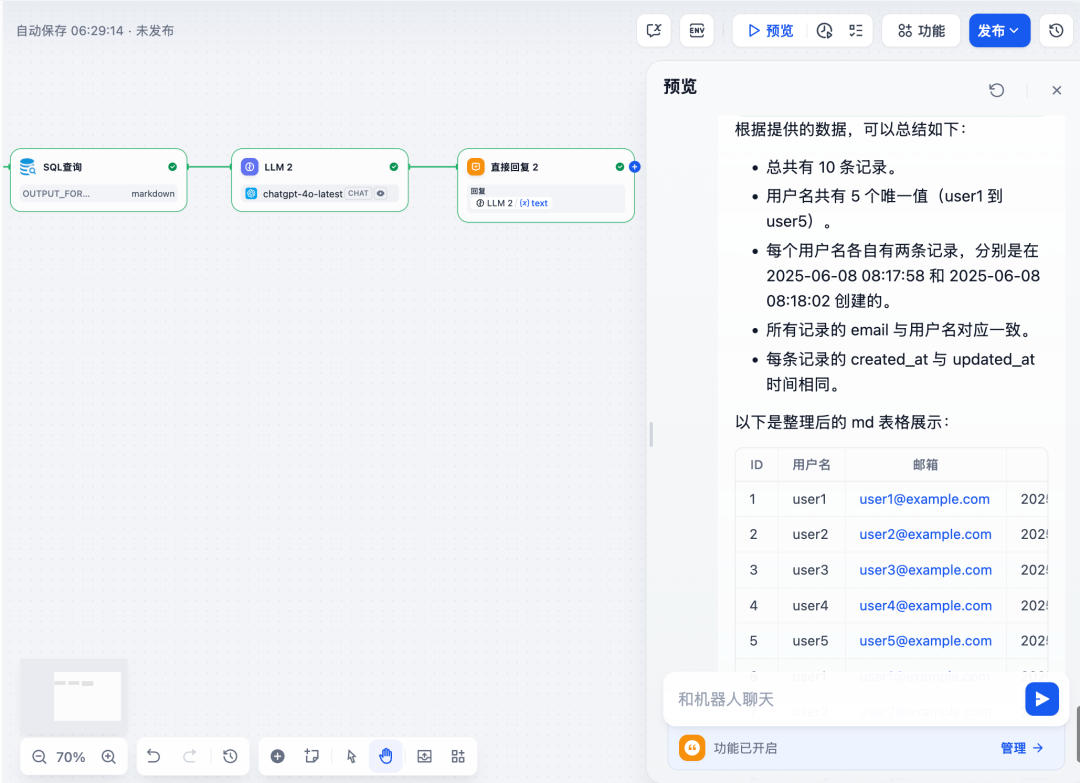
Business people who want numbers often need IT approval, and they don't always know SQL. A read-only database plugin makes it possible to query data in natural language. IT manages the risk, and the business can ask for itself.
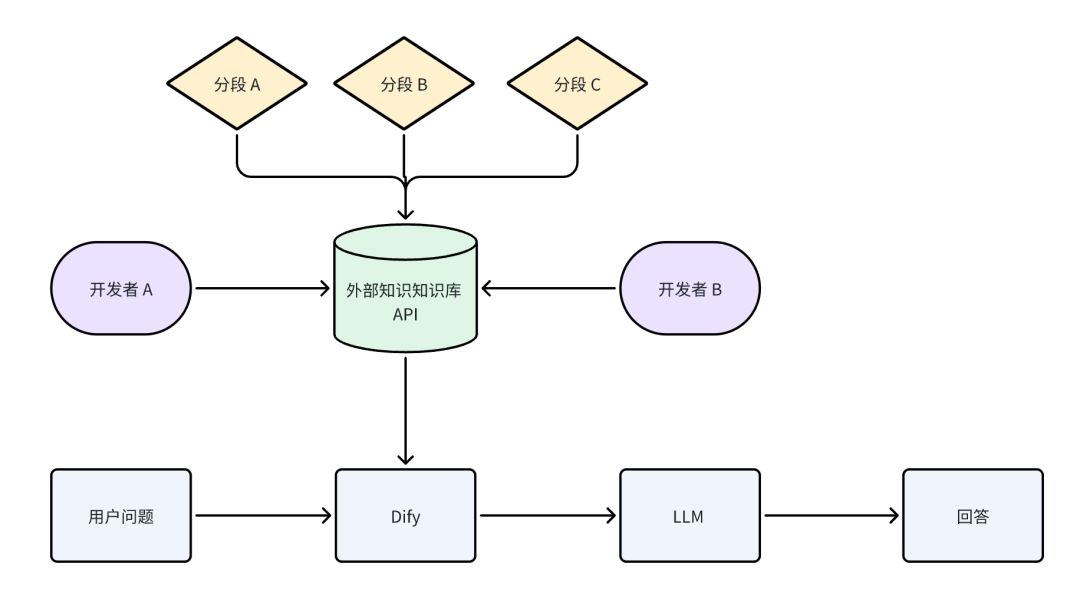
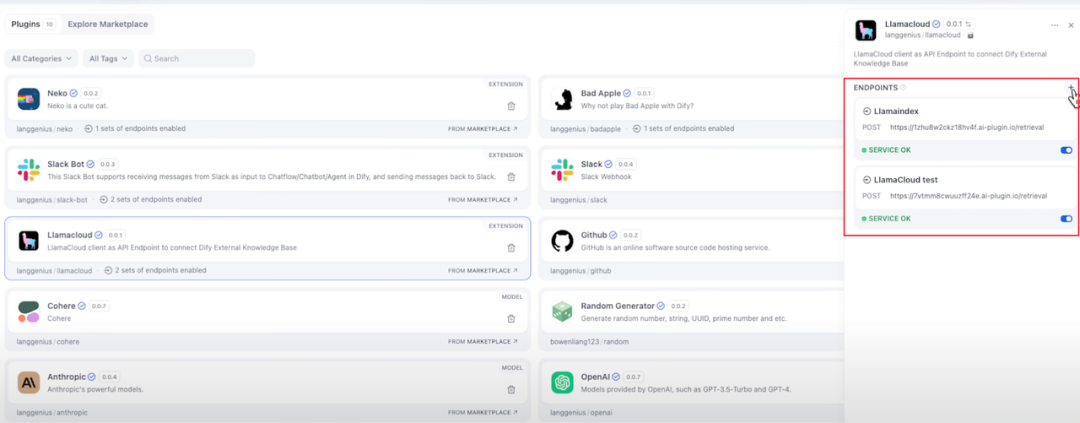
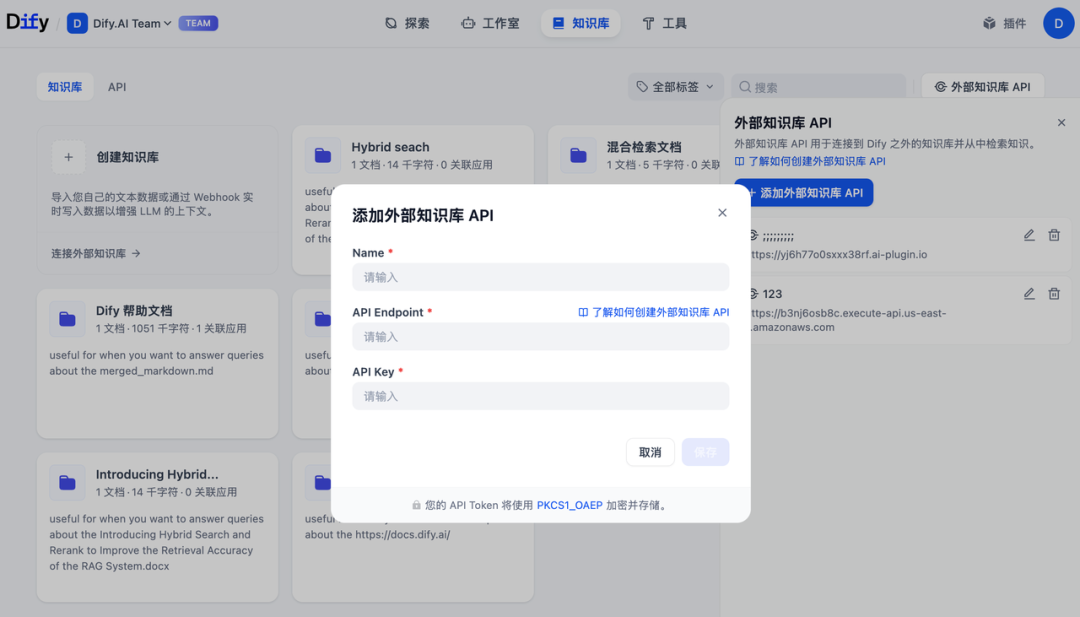
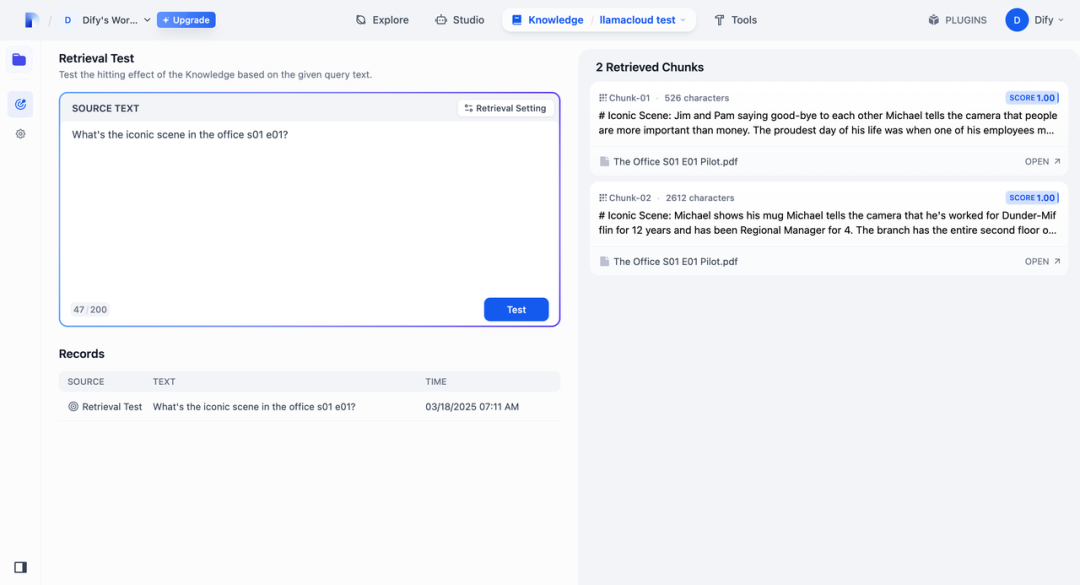
#3. Third-Party RAG
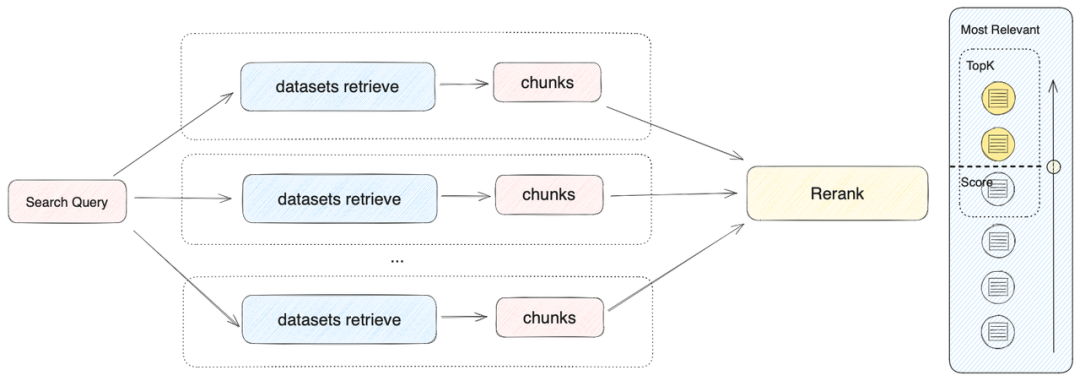
Dify had a knowledge base from its early days, but specialized vector databases and complex document parsing are often stronger in other vendors' products. External knowledge base solutions were first connected through APIs. With plugins, common external databases can be packaged as plugins, so every developer doesn't have to integrate them again. These plugins involve bidirectional communication, somewhat like Cloudflare Workers: receive the query, ask the external database, and then return the result to Dify.
#4. Complex Agent Strategies
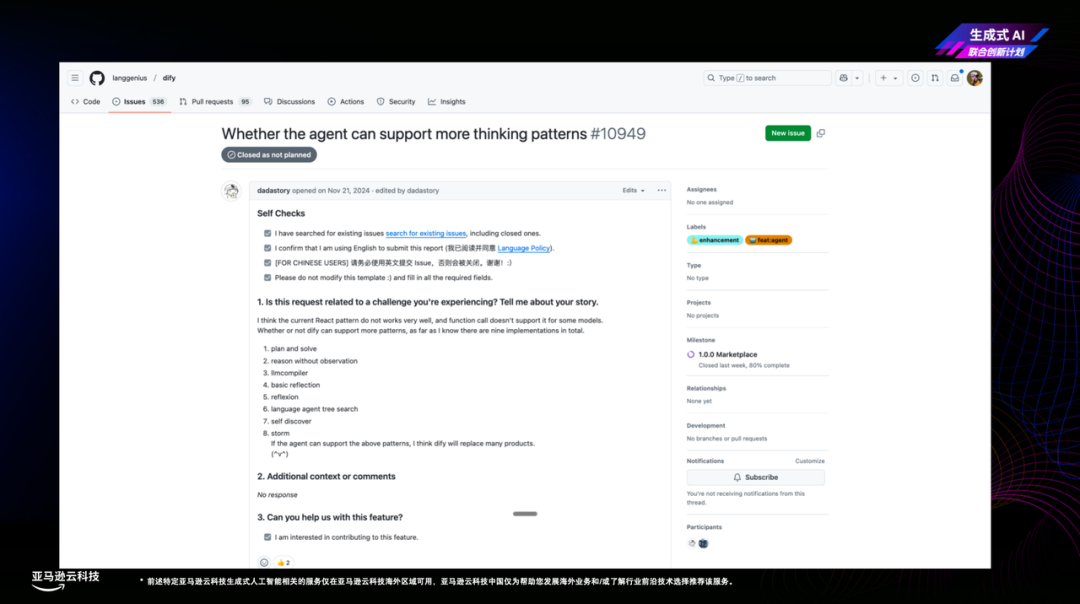
The community wants ReAct, function calling, and all sorts of chain-of-thought variants. The agent strategy plugin type lets developers implement their own strategy and install it into the Agent node of a workflow.
#5. MCP
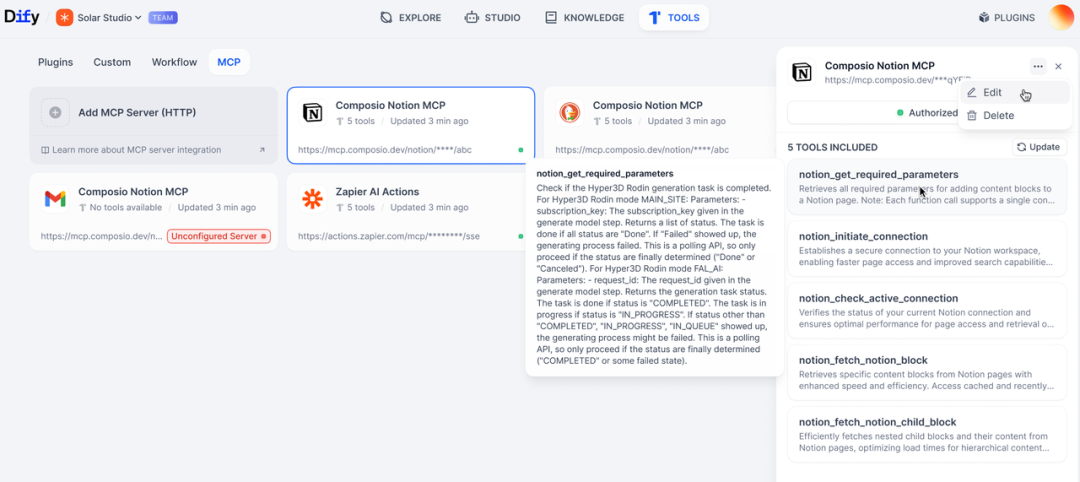
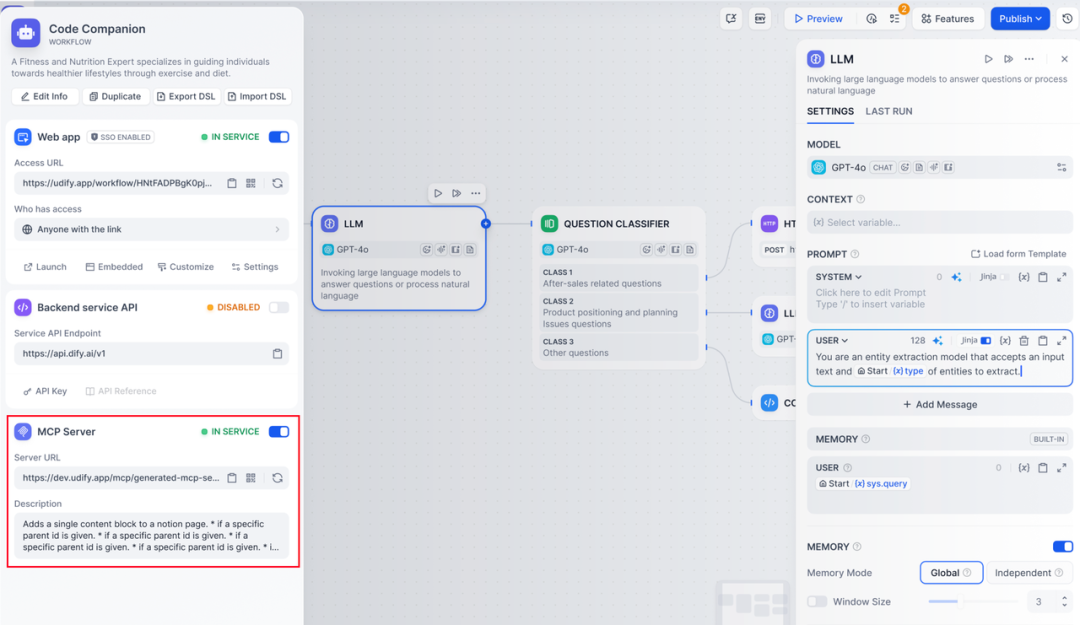
Connect to external MCP services over HTTP. Dify apps can also be published as MCP servers, so you can call your built workflows directly from Cursor or Claude.
#From Prototype to Launch
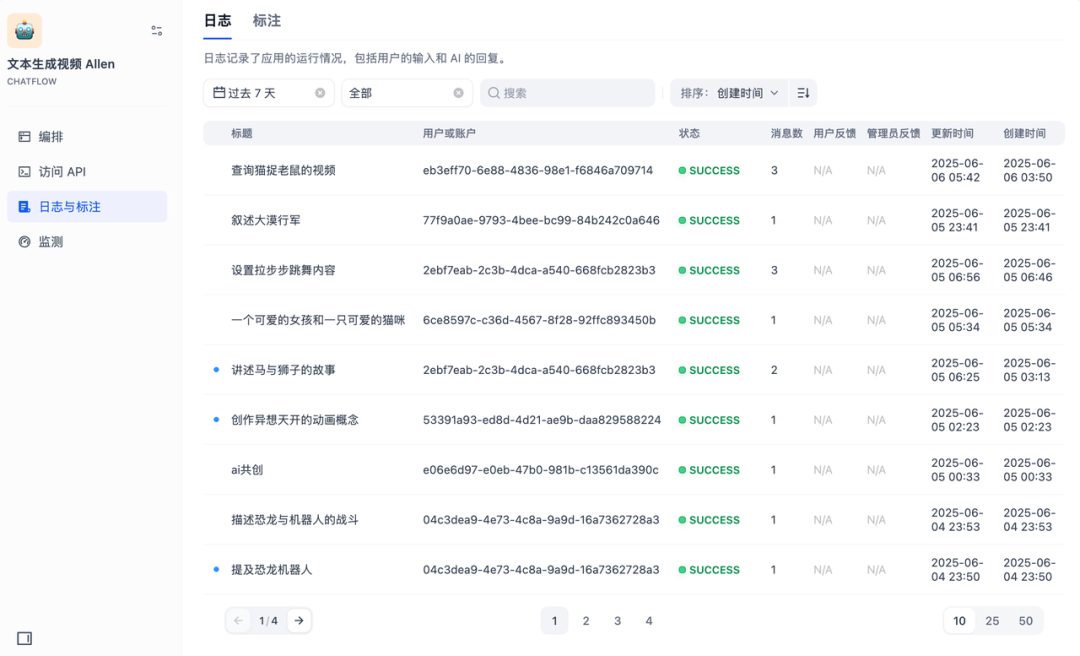
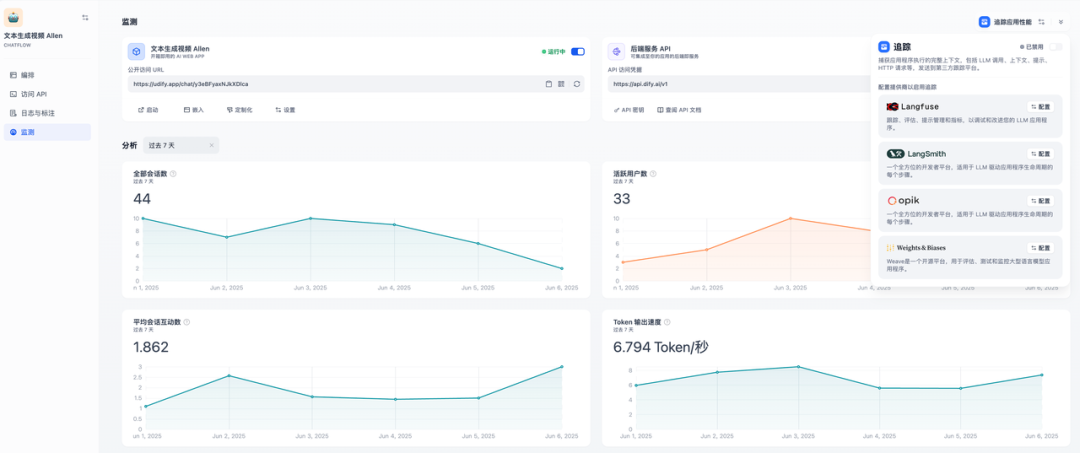
All five app types support APIs, come with built-in embed code, and the knowledge base also has an API. From the first day of open source, there are access logs, feedback annotation, and monitoring of session counts, token speed, cost and more. The enterprise edition covers higher concurrency and multi-tenancy.
#Summary
The AI era changes quickly, and there are many opportunities. Dify hopes to be an arsenal, so that everyone with an idea can turn their creativity into reality.

Original article: https://mp.weixin.qq.com/s/YfK0jaQ_KXNZFc9X5O9s3w